
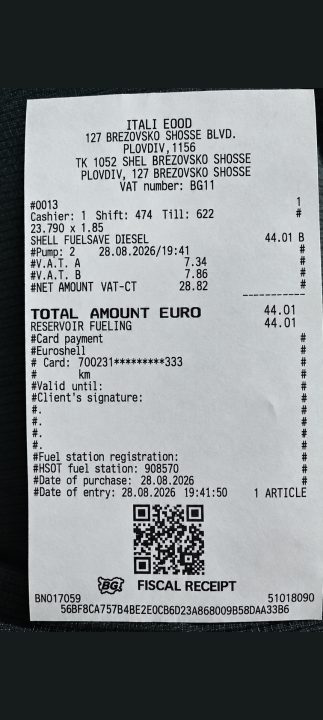
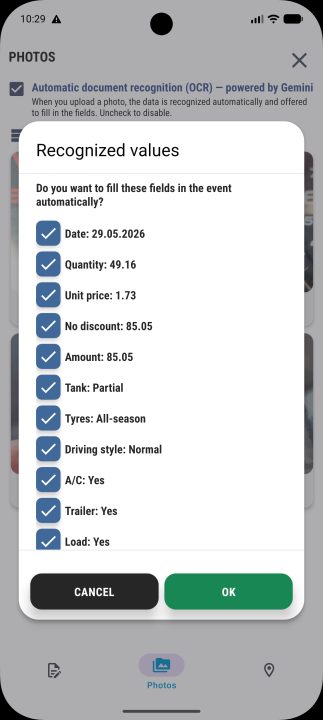
Photograph the document. The entry fills itself in.
Carendar is a logbook for your vehicle — fuel, servicing, expenses and renewal dates. You photograph the receipt or the policy, the app reads the amount, the date and the validity period, and fills the entry in. All you do is check it and confirm.
Free, with no limit on the number of vehicles.


How it works
Typing everything in by hand is why logbooks like this get abandoned in the third week. Here there is none.
You photograph
A fuel receipt, an insurance policy, a service invoice, a parts protocol — or simply the odometer.
Carendar reads it
It recognises the document type and pulls out the amount, the date, the currency, the validity period and the odometer reading.
You confirm
The entry arrives as a draft. You check it and save it — without typing anything by hand.

Ask your assistant about the car
Carendar connects to an AI assistant that supports MCP — Claude, for example. You ask in plain language: what the car costs me per kilometre, when the insurance runs out, where refuelling actually works out cheaper.
You tell it, instead of filling a form
“I refuelled yesterday, about eighty, the tank was nearly empty.” That is all. No form, no fields.
Do not remember exactly?
The assistant asks for whatever is missing — the amount, the litres, the odometer — and fills in the rest from your recent entries.
You get a draft, not an entry
You open it in the app and confirm. Nothing is saved without you.
You allow the connection from Settings → “AI assistants (MCP)” and you can end it at any time.
The deadline comes to you, before it expires
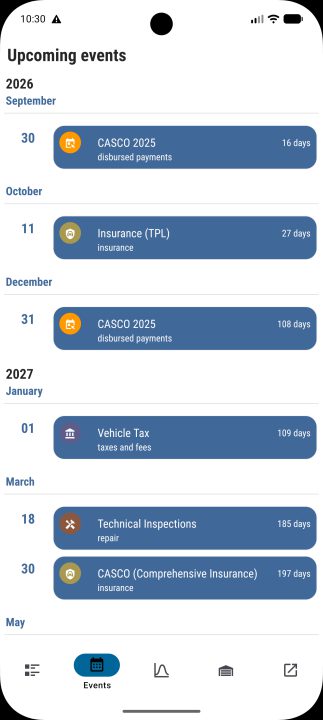
Carendar tracks renewal dates 365 days ahead and sends a notification to your phone. It also shows the ones you have already missed, so you can close them.
- Third-party liability and comprehensive insurance
- Periodic technical inspection
- Road tax vignette and annual vehicle tax
- Green card
- Upcoming servicing by mileage
- Validity of personal documents
Because the expiry date is read straight from the photographed policy, the reminder appears on its own.
What it tracks
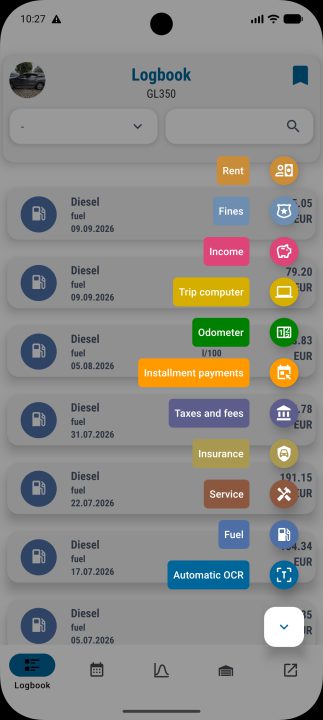
Fuel and refuelling
Litres, price, station and real consumption in l/100 km. Petrol, diesel, CNG, LPG, electric and AdBlue.
Servicing and repairs
The full service history with photographs of the documents, grouped by type.
Tyres
Sets, changes and the kilometres covered on each set.
Taxes and insurance
Third-party liability, comprehensive cover, green card, road tax vignette, annual vehicle tax and fines.
Documents
Personal and vehicle documents whose expiry dates feed the reminders.
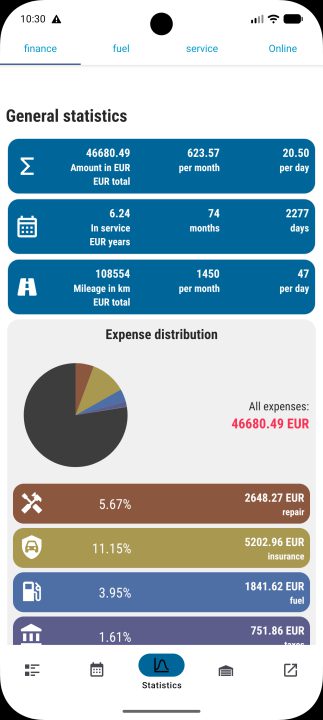
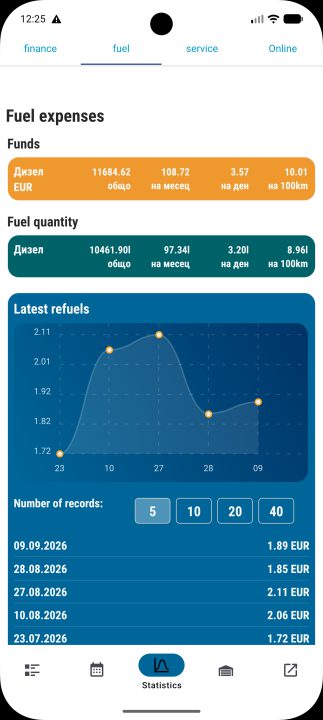
Reports that answer questions
Not a table of numbers, but an answer to what the car costs you and where the money goes.
- Real consumption in l/100 km
- Cost per kilometre
- Cost forecast by mileage
- Seasonal consumption — what winter costs you
- Spend by petrol station chain
- Cost allocation and depreciation
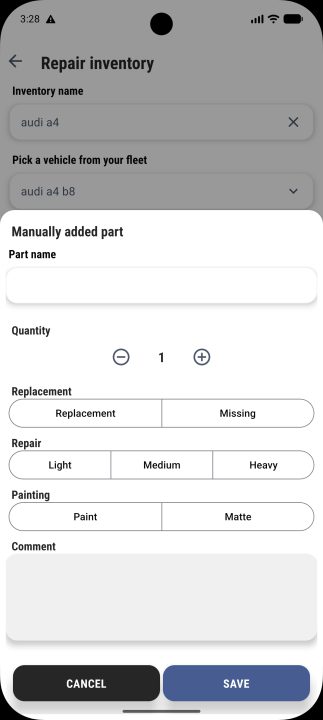
A damage report you send to the garage
Before you leave the car, you list the damage yourself. The garage sees exactly what to quote for, instead of guessing from a phone call.
You pick the part
From a ready list of parts. For each one you mark replacement, repair, paint or missing, plus the severity and the quantity.
You add photographs
To each part, with a comment. Afterwards there is no argument about what it looked like before the repair and after.
You send a link
The system generates a link to share by email, Viber or Messenger. The garage opens it without creating an account.
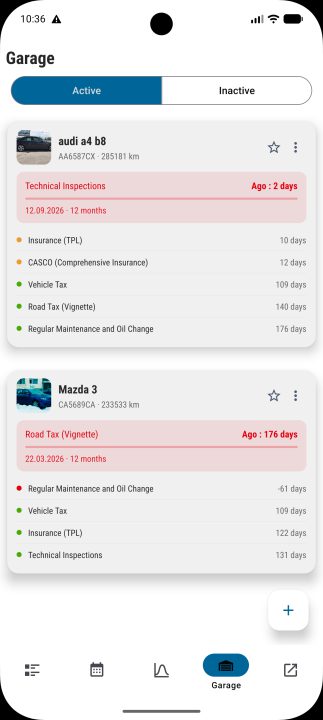
No limit on the number of vehicles
Your car, your partner's car, the motorcycle, the company van — all in one account. No subscription for the second vehicle. It works the same for one vehicle and for a small fleet.
Drivers
One or several cars in the family, plus the motorcycle.
Motorcyclists
Motorcycles, with their own deadlines and servicing, like any other vehicle.
Small companies
From two to ten vehicles, with the costs gathered for the accounts.
Three steps to your first entry
An account with an email and a password. Then the vehicle — make, model, year. From then on every entry starts with a photograph.